Bevel: Sensor Toolbox turns phone sensors into practical measuring tools
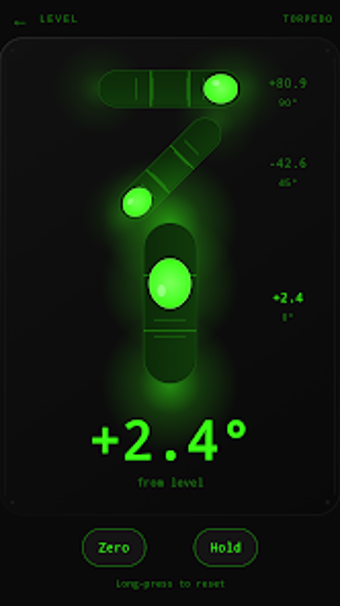
Bevel: Sensor Toolbox from Zone7 Studios turns a phone's internal sensors into a pocket workshop for quick measurements, ideal for DIYers and hobbyists. It bundles levels, a compass, a ruler, a protractor, screen test, flashlight, and calibration tools into a single utility. The app lists which hardware is present and offers additional diagnostic tools via a Pro unlock. This design aims to give hobbyists fast, practical measurements without complex setup or extra software.
How accurate are measurements on typical phones?
Bevel adopts a candid approach to accuracy, explicitly marking which tools your device supports and showing a checkmark or cross for compatibility. Calibration options exist, such as aligning the on-screen ruler to a bank card and calibrating the torpedo level for flat-surface and edge readings. Those measures improve practical accuracy for DIY tasks, but users should verify results when measurements matter.
Does it require runtime permissions or network access?
The app is designed to operate without continuous network access for normal use; the only network interaction is the Pro upgrade processed through Google Play's billing system. The developer states Bevel functions without intrusive runtime permission prompts. The compass supports true-north via manual declination so it does not require location permissions for that mode, reducing background access to sensitive services.
Is Bevel safe and respectful of user privacy?
The developer built the tool with a privacy-first stance: it contains no advertisements, no tracking, and no compulsory accounts. Its "Built Honest" philosophy provides clear compatibility indicators and transparent messaging about hardware limits. Because core tools perform measurements locally rather than relying on cloud processing, users can run diagnostics on-device without sending routine sensor data off the phone, aside from the billing step for Pro.
Do I need technical knowledge to use Bevel correctly?
The interface follows a minimalist, "clean, quick, and quiet" design that surfaces interactive controls like draggable protractor arms and straightforward calibration prompts. Basic measurements are accessible to non-experts, while advanced diagnostic instruments are collected behind the Pro unlock. For power users, the app separates simple workflows from deeper tools and lists compatibility so you avoid attempting measurements unsupported by your hardware.
- Simple mode for quick checks
- Advanced tools available after Pro unlock
Bevel is practical for hobbyists, with one clear caveat
Bevel is a sensible option for hobbyists who need immediate, on-device measurements without elaborate setup; the developer explicitly states that phone sensors are approximate, so avoid relying on the app for precision-critical work. Treat it as a first-pass diagnostic, verify important values with a calibrated instrument, and recalibrate after moving between work sites. Recommended.